Fit Time Series Model Selection
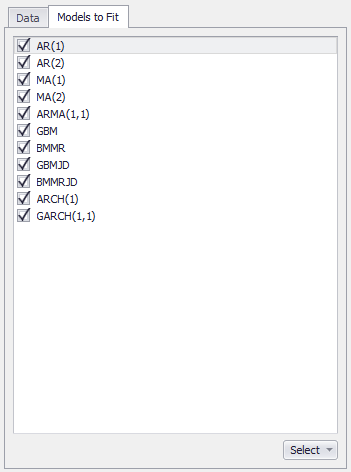
Figure 1 - Models to Fit
The second step in fitting a time series model to data is to select which models to test for fit; this configuration is done on the 'Models to Fit' tab of the Time Series Fitting and Time Series Batch Fitting windows (Figure 1, right). In some circumstances, some models may be unavailable for fitting based on the data or context.
To include a model in the fitting process, check the box next to its name.
Use the 'Select' button in the lower right corner to quickly select or deselect all models in the list.